
HRMS and hiring
Track every candidate, bring new hires on board with their joining forms, and run attendance, leave and employee records in the same place. Every role sees only what it should, and the database enforces it.
Read the film transcript
Meet KR AI People. Hiring and HR, in one place.
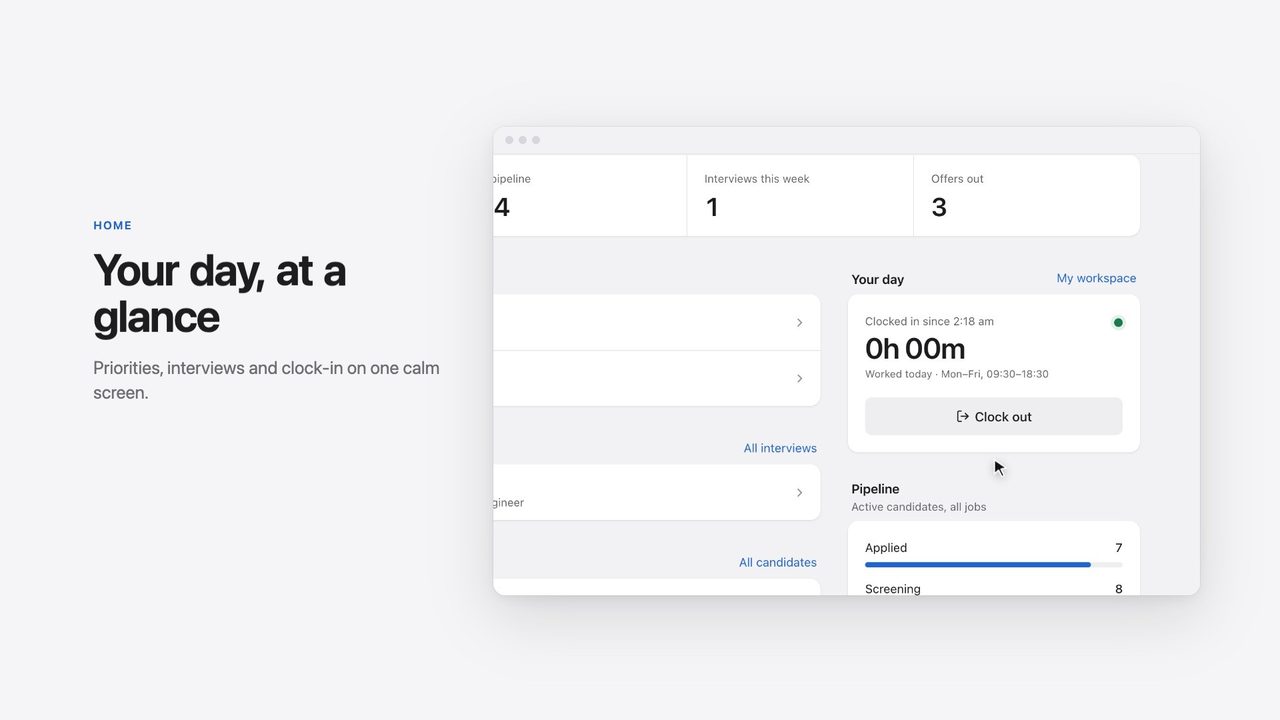
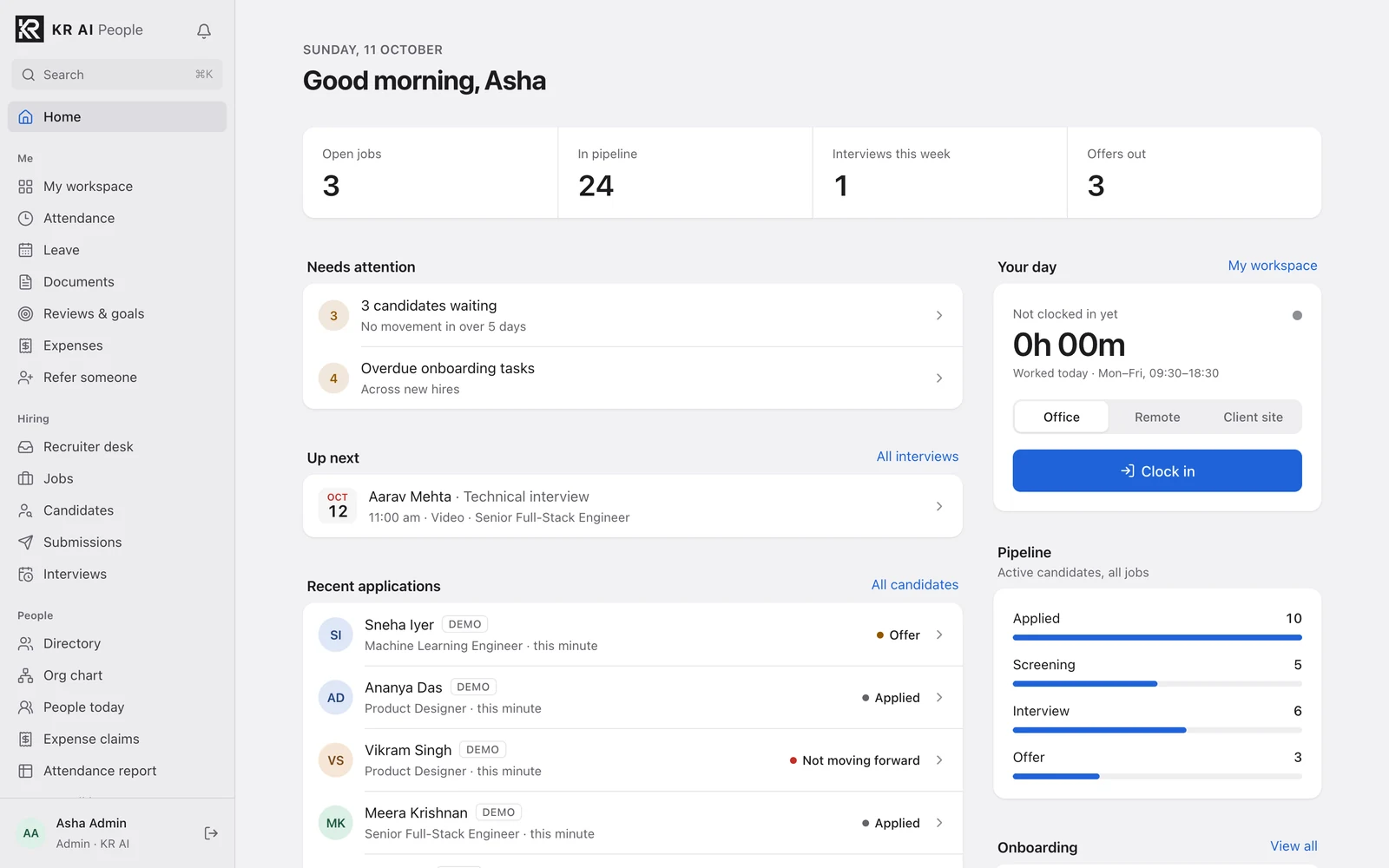
Every day starts here: what needs your attention, the interviews coming up, and your own clock in, on one screen.
Every candidate across every job, in one list. Select a few, and move them forward together.
Open anyone without losing your place. Experience, skills, interview feedback and the last call, then press J for the next candidate.
Or work the pipeline visually. Drag a candidate to the next stage, and you're done.
When an offer is accepted, new hires complete their joining forms from a private link. Identity, bank details and nominees, with sensitive numbers always masked.
HR reviews everything in one place, with EPF Form 11, Form 2 and gratuity Form F prefilled and ready to sign.
The appointment letter is drafted from your own template. Review it, and issue it in one click.
See who's in today, clear approvals, and mark attendance for the whole team at once.
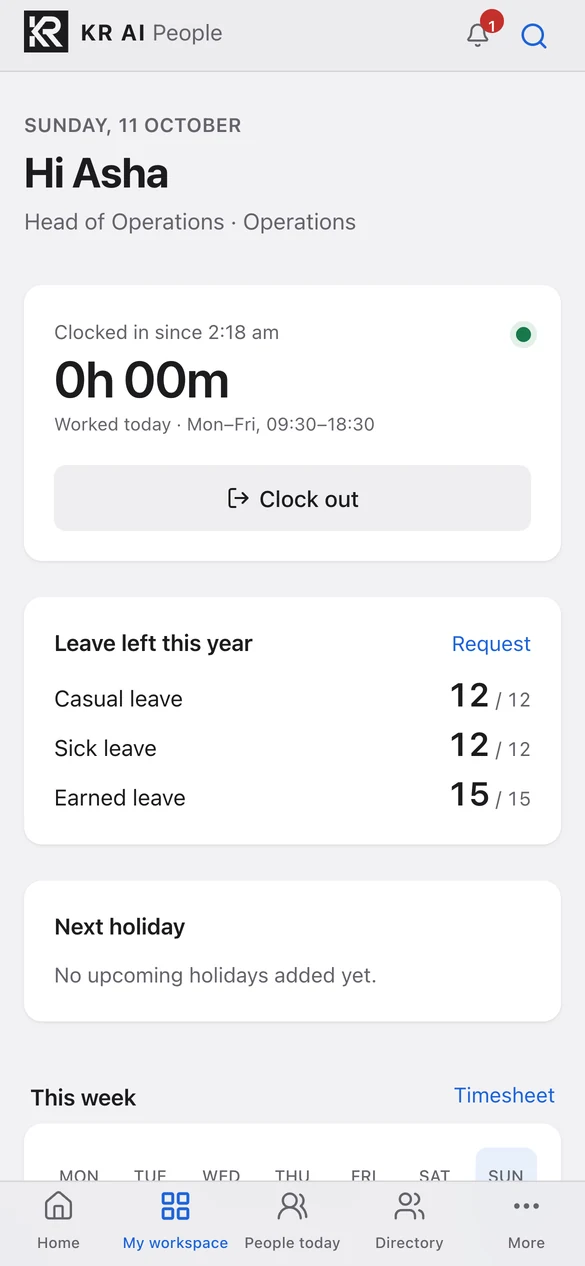
And every employee gets a workspace of their own: clock in, request leave, and keep their details up to date.
Org charts, reports, reviews, expenses, payroll inputs and a full audit trail are all built in.
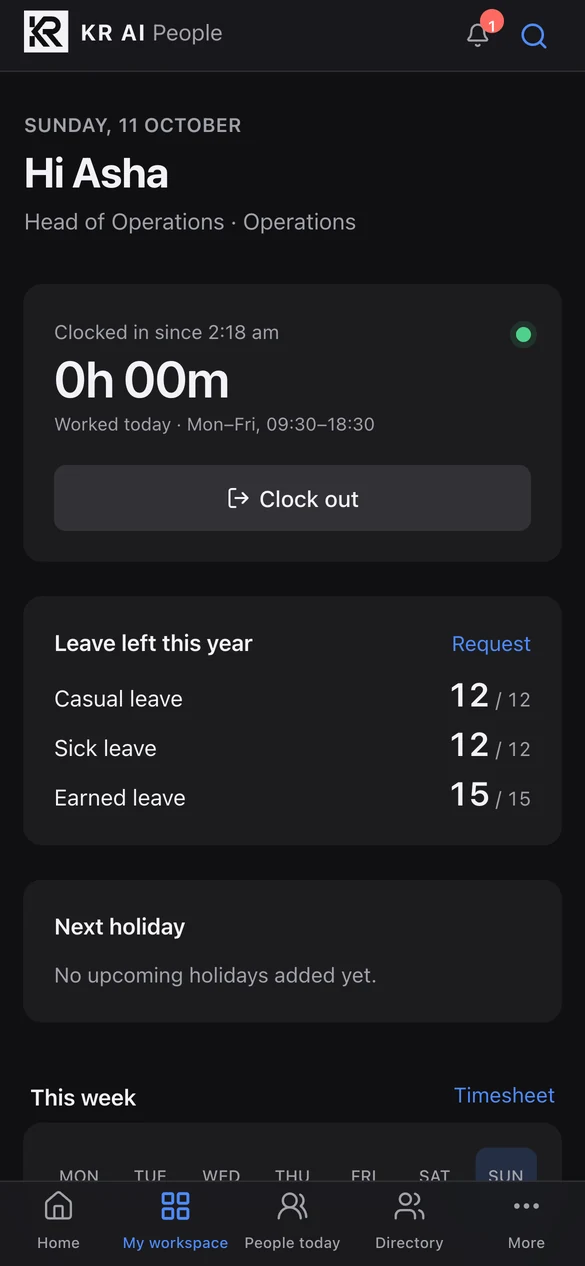
It's private by design, with security enforced in the database, and it follows your light or dark mode.
And it works beautifully on your phone.
KR AI People. Hiring and HR, done properly.
Built for the people who use it every day
How it works
Post a job
Publish it on your careers page, or share it with your team for referrals.
Track and review
Every candidate across every job, in a table or a board. Move several at once.
Interview
Schedule the panel without clashes, or let candidates pick a time. Collect independent scorecards.
Offer
Draft from a template, get it approved, and let the candidate accept online.
Join
The new hire completes their joining forms from a private link. HR reviews and verifies, then issues the appointment letter.
Work together
Attendance, leave, documents, reviews, expenses and records live in the same place.
Hiring
Applicant tracking your team will keep up to date
- Every candidate across every job, as a table or a board, with search and filters by stage, job, source and owner.
- Select several candidates and move them together. Closing an application asks for a reason.
- A quick view beside the list: experience, skills, résumé, interview feedback and recent calls.
- A recruiter desk: log calls and messages with their outcome, set follow-ups and submit candidates to the hiring manager.
- Schedule panels with clash checks, or send candidates a private link to choose a time. Calendar invitations included.
- A careers page with your open roles, structured for Google for Jobs. Applicants consent and get a private link to track their application.
- Employees can refer people they know and follow how their referrals are going.
Interviews and offers
Structured interviews, independent feedback
- Scorecards capture a recommendation, a rating, strengths and concerns.
- Panellists see colleagues' feedback only after submitting their own.
- Voice interviews read structured questions aloud and transcribe answers for the interviewer to review.
- Offer letters from templates, with approval before they are sent. Candidates accept online by typing their name.
Joining
From offer to first day, without the paperwork chase
- After accepting, new hires fill in personal details, address, PAN, Aadhaar, bank details, provident fund questions, family and nominees, tax regime, education and past jobs.
- PAN, Aadhaar and bank details are checked before they are saved. Sensitive numbers are only ever shown back masked.
- Documents upload from a phone: photo, PAN, Aadhaar, bank proof and certificates.
- HR reviews everything in one place, asks for changes or verifies. Verified details and documents go straight to the employee record.
- EPF Form 11, Form 2 and gratuity Form F are prefilled from the answers, ready to check and sign.
- Appointment letters are drafted from your template once the forms are verified, then issued in one click.
- Onboarding checklists, probation reviews and confirmation follow from the joining date.
People
The day-to-day, handled in one place
- Every employee gets a workspace: clock in from the office, home or a client site, request leave, see holidays and keep their details current.
- Managers approve their team's leave and attendance corrections.
- People today shows who is in and what is waiting. HR can mark attendance for many people at once, or record leave on someone's behalf.
- Leave types, balances, holidays and announcements, set up once for the organisation.
- An employee directory and org chart, private 1:1 notes, and review cycles with goals.
- Expense claims with receipts, approval and payment tracking.
- Offboarding checklists, relieving and experience letters, Form XV service certificates and asset tracking.
- Monthly payroll for India: pay from CTC structures and paid days, with PF, ESI, professional tax and TDS under the new regime. A second person approves each run. Employees get payslips and HR gets a bank transfer file.
People
Employee experience
- HR helpdesk with tickets and FAQs
- Policies employees can acknowledge
- Resignations through the employee workspace
- Kudos
- Anonymous pulse surveys
- Confidential grievance and POSH complaints with tracking numbers
- Workforce analytics covering headcount, attrition, exit reasons and tenure
Built for India
The details Indian HR teams deal with every day
- Rupees and India time by default, adjustable for each organisation.
- Fields for PAN, Aadhaar, UAN, PF number, ESI number and IFSC, visible only to HR, admins and the employee.
- Prefilled EPF Form 11, Form 2, gratuity Form F and Form XV, for HR to check against the current official format before filing.
- Consent is recorded with each application. Candidate data can be exported or erased on request, and older records cleared after a retention period you set.
AI assistance · Coming soon
AI that prepares, never decides
AI features are optional. They draft and summarise, and decisions stay with people.
- Drafts job descriptions for your team to edit.
- Prepares neutral candidate briefings from notes and feedback.
- Suggests structured interview questions that are the same for every candidate.
- Summarises interview transcripts.
Every AI output is labelled and can be reviewed. It never recommends hiring or rejecting anyone, and it never scores people.
Security
Access is enforced where the data lives
- Six roles: Admin, HR, Recruiter, Hiring manager, Interviewer and Employee.
- Each organisation's data is kept separate, and access rules run in the database, not only on screen.
- Nobody approves their own leave or expenses, or changes their own attendance or pay.
- Two-step verification with authenticator apps. Admins can require it for everyone.
- An audit log of changes to people, hiring and access data. It records which fields changed, never personal values.
- Sign in with Google or Microsoft. Coming soon.
Indian companies that want hiring, onboarding and everyday HR in one product, run by HR teams, recruiters, managers and employees.